Guild Task Calculator LITE | Guild Task Planning Spreadsheet
Guild Task Calculator LITE | Guild Task Planning Spreadsheet
SKU:
- THIS IS A DIGITAL DOWNLOAD SPREADSHEET, NO PHYSICAL PRODUCT IS SHIPPED. MS-EXCEL IS REQUIRED.
Couldn't load pickup availability
Please Read Item Description:
Please Read Item Description:
Guild Task Calculator LITE | Guild Task Planning Spreadsheet
Spend less time adding up contributions and more time getting those guild tasks done!
Do you take part in guild tournament games where players work together towards shared targets? The Guild Task Calculator LITE helps you work out what your team can achieve without all the manual number crunching.
Whether you’re tackling guild tasks in a farming game or working towards shared targets in another type of game, this handy spreadsheet helps you see which star level your team can reach based on the figures entered by you.
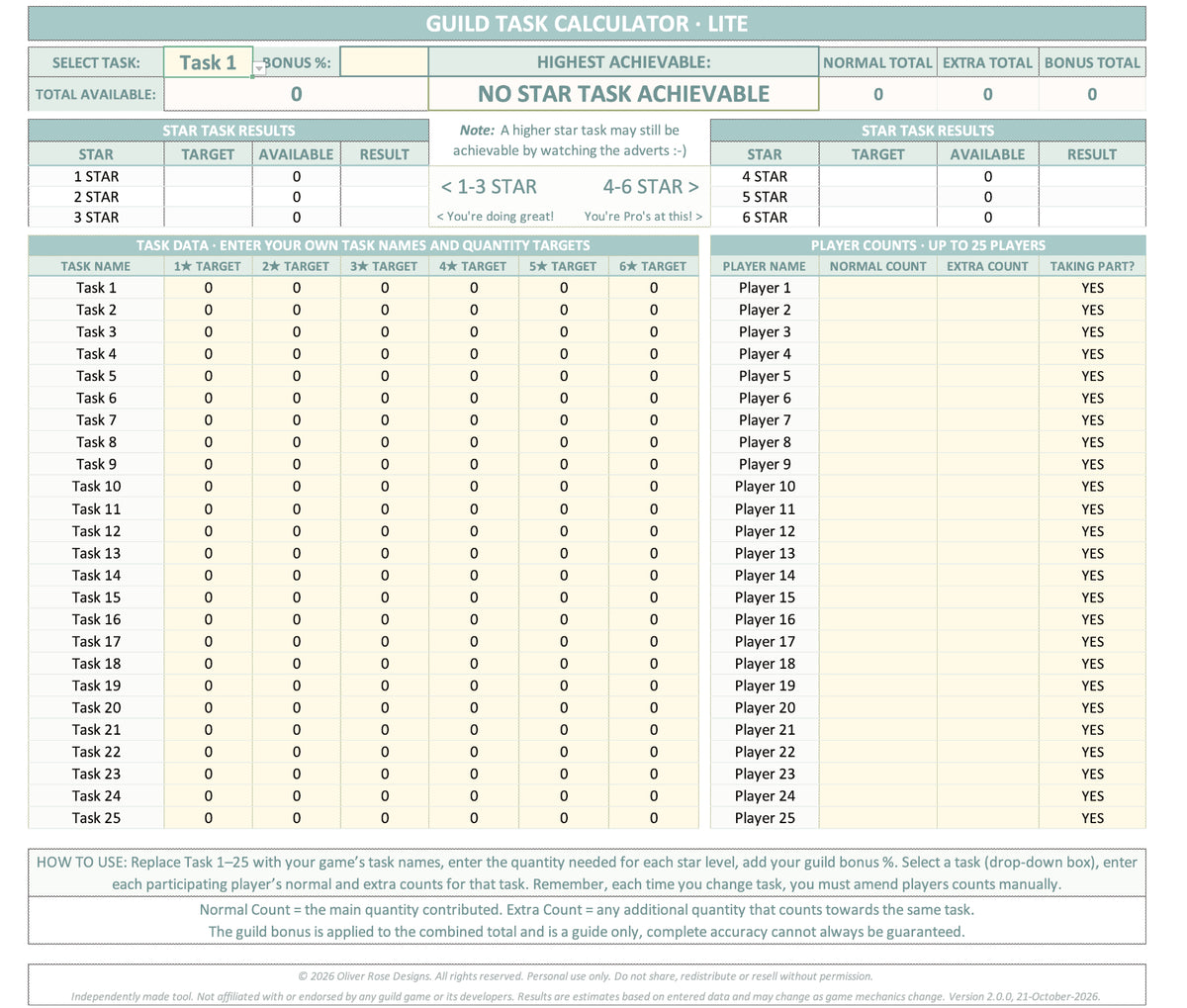
Set up your task names and target amounts for each star level once, then enter your players’ counts and select the task you want to calculate. The calculator does the number crunching for you, helping you see which star target your team can reach.
What’s included?
- Automatic task calculations to help identify the highest achievable star target.
- Six star levels for each task, with customisable target quantities.
- Up to 25 players so you can enter your team members and their counts.
- Up to 25 tasks so you can set up the tasks relevant to your game.
- Guild bonus calculations to help account for your guild bonus when working out achievable targets.
- A simple, single-tab layout with the calculator, task targets and player information together in one worksheet.
- A Simple How to Use guide to help you get started.
- Easy-to-use layout: Cells that don't require input are locked to help prevent accidental changes, making it easy to see where you need to enter your own information.
How does it work?
1. Set up your tasks
Enter your own task names and the quantities required for each star level. This information only needs to be entered by you once. Add your Guild Bonus %, if required.
2. Add your players’ figures
Enter each player’s normal count and any extra count in the player section. This information needs to be manually changed by you each time you run and select a new task.
3. Select your task
Choose a task from the dropdown menu. The calculator displays the relevant star targets and works out the highest target achievable using the figures entered.
4. Plan your next move
Use the result to help decide which star level your team can aim for.
Important information
- Digital download only. No physical product will be posted.
- Designed for use in Microsoft Excel.
- This is the LITE version of the Guild Task Calculator.
- Task names, target quantities, Guild Bonus, player names & player counts are entered manually by you.
- Player counts need to be updated when switching between different tasks. The LITE version does not store a separate set of player counts for each task.
- The spreadsheet does not connect to your game or automatically retrieve player data.
- You will need to enter the task targets and guild information relevant to your own game.
- You will receive a download link via email after purchase, you can also access the download file in your 'my account' page under 'orders' and via the thank you page after ordering.
Ready to make task planning easier?
Set up your tasks, enter your team’s figures and let the calculator do the number crunching for you.
One simple spreadsheet to help you plan your next guild task.
© 2026 Oliver Rose Designs. All rights reserved. Personal use only. Do not share, redistribute or resell without permission. Independently made tool. Not affiliated with or endorsed by any guild game or its developers. Results are estimates based on entered data and may change as game mechanics change.